
AI Academic Poster Design: Guide to School & Scientific Posters
Juggling research, deadlines, and presentations is a familiar challenge for every student, educator, and scientist. When it comes time to create a school project or scientific poster, you face another hurdle: design. How do you transform complex data and crucial findings into a visually compelling format without spending hours on confusing software? If you've ever wondered how to design a poster that is both professional and engaging, you're in the right place. The answer lies in the power of ai poster design, a revolutionary approach that streamlines the entire creative process.
This guide will walk you through everything you need to know about creating standout academic posters. We’ll cover the foundational elements of effective design and show you how an AI-powered tool can become your ultimate partner. Say goodbye to frustrating templates and hello to effortless, professional-grade posters generated in minutes. Get ready to turn your hard work into a visual masterpiece with an innovative ai poster generator.

Understanding the Anatomy of Effective Academic Posters
Before diving into the "how," it's crucial to understand the "what." An effective academic poster is more than just text and images; it's a structured narrative that guides your audience through your work. Whether it's for a science fair or an international conference, the core principles of clarity and impact remain the same.
Essential Elements for Scientific Poster Design
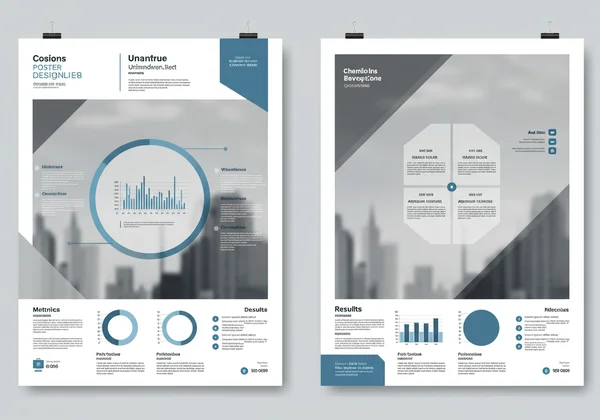
A scientific poster design must be a clear, concise, and logical summary of your research. It serves as a visual abstract, inviting conversation and conveying key information at a glance. Most scientific posters follow a standardized format that includes these essential sections:
-
Title, Authors, and Affiliations: Clearly state the project title and credit all contributors and their institutions.
-
Abstract/Introduction: Briefly summarize the research question, methods, key findings, and significance.
-
Methods & Materials: Outline the procedures and tools used in your study. Use flowcharts or diagrams for clarity.
-
Results: Present your findings using high-quality charts, graphs, and tables. This is where data visualization is critical.
-
Discussion/Conclusion: Interpret your results, discuss their implications, and suggest future research directions.
-
References & Acknowledgements: Cite your sources and thank any individuals or organizations that provided support.
Structuring Clear and Engaging School Project Posters
While a school poster design may be less rigid, it still benefits immensely from a clear structure. The goal is to make the information digestible and visually appealing for teachers and classmates. Focus on a logical flow that tells a story from beginning to end.
Start with a bold, catchy title to grab attention. Use headings and subheadings to break down your content into manageable chunks, such as "Our Goal," "What We Did," and "What We Found." Incorporate colorful visuals, clear fonts, and plenty of white space to avoid a cluttered look. Remember, a great school poster makes learning easy and fun. For your next project, try using an online poster maker to get started quickly.
Principles of Visual Hierarchy & Data Visualization
Visual hierarchy is the art of arranging elements to show their order of importance. In poster design, this means your most important information—usually your title and key findings—should be the most prominent. You can achieve this using larger fonts, bolder colors, or strategic placement.
Effective data visualization turns raw numbers into an insightful story. Instead of dense tables, use bar graphs, pie charts, and line graphs to illustrate trends and comparisons. Ensure your visuals are simple, labeled clearly, and directly support the claims you make in the text. This is a cornerstone of professional information design.
Step-by-Step: Using Your AI Academic Poster Maker
Now that you understand the principles, let's put them into practice with our AI academic poster maker. This isn't just another template tool; it's a powerful academic poster maker that uses AI to generate unique designs from your text descriptions. The process is incredibly simple and efficient.
Crafting Effective Prompts for Research Poster Generation
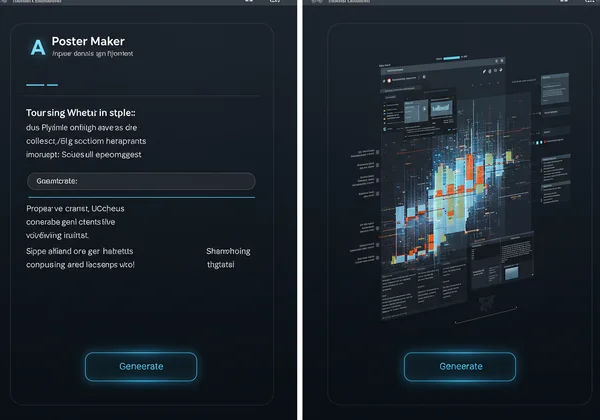
The magic begins with your prompt. A well-crafted prompt guides the AI to create a design that aligns perfectly with your vision. Be specific and descriptive. Instead of "a science poster," try a prompt like:
- "A modern, minimalist scientific poster about molecular biology. Use a blue and white color palette, with clean sans-serif fonts and placeholders for three charts and a conclusion section."
- "An engaging school project poster about the solar system for a 5th-grade audience. Vibrant, dark background with planets, futuristic typography, and sections for 'Fun Facts' and 'Our Mission'."
This level of detail helps the AI understand the theme, style, and structure you need for your research poster template.
Selecting Optimal Styles, Layouts, and Sizes for Academic Use
Once you've entered your prompt, the platform offers a range of professional poster templates and styles. For a scientific conference, the "Modern Minimalist" or "Techno Futuristic" styles work wonderfully to convey professionalism and innovation. For a school project, styles like "Nature Fresh" or "Artistic" can add a creative and engaging touch.
You can also select standard academic sizes, such as A3 or A4, or even define custom dimensions to fit specific presentation board requirements. This flexibility ensures your final product is perfectly suited for its intended environment.
Refining Your AI-Generated Poster: Text, Graphics, and Branding
The AI gives you a brilliant starting point, but the final touches are yours. The platform makes poster customization easy. You can click on text blocks to insert your abstract, results, and other content. Upload your own graphs, charts, and even your university or school logo to meet specific branding guidelines.
This seamless blend of AI generation and manual refinement gives you complete creative control without the steep learning curve of traditional design software. You can tweak fonts, adjust colors, and rearrange elements until your poster is perfect.
Maximizing Impact: Advanced Tips for Your Scientific & School Posters
Creating the poster is just the first step. The real goal is to capture your audience's attention and communicate your message effectively. Here are a few advanced tips to ensure your poster stands out.
Enhancing Readability and Engagement for Your Audience
Readability is paramount. Stick to two or three complementary fonts at most—one for headings and one for body text. Ensure high contrast between your text and background (e.g., dark text on a light background). Use bullet points and short paragraphs to make information scannable.
To boost audience engagement, use QR codes to link to your full research paper, a video demonstration, or supplementary data online. This interactive element adds a modern touch and provides a deeper layer of information for those who are interested.
Final Preparation: Before You Print or Present
Before you send your design to the printer, proofread it meticulously. Then, have a colleague or friend review it as well for any errors or typos. A single mistake can undermine the credibility of your hard work.
When you're ready, download your poster as a high-resolution, print-ready file. Our tool provides high-quality outputs suitable for professional printing, ensuring your final poster looks crisp and vibrant. With your stunning poster in hand, you’ll be ready to present your work with confidence.
Empower Your Academic Journey with AI-Powered Poster Design
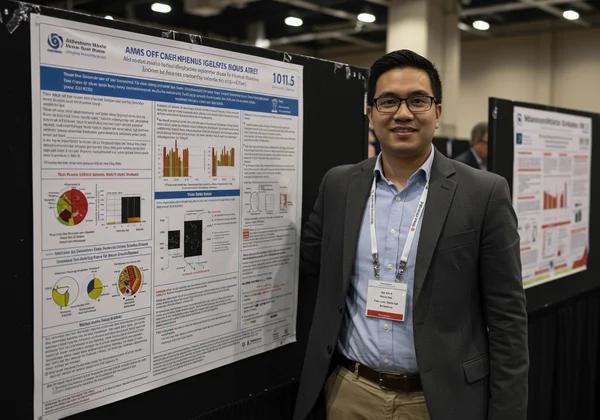
From complex scientific research to creative school projects, a well-designed poster is your key to making a lasting impact. Traditional design methods can be a significant barrier, but AI has changed the game. With an intuitive ai poster design tool, you can now focus on what truly matters—your content—while the technology handles the complex design work.
Stop letting design challenges hold you back. It’s time to communicate your ideas with the clarity and professionalism they deserve. Ready to transform your presentations? Generate your poster today.
Frequently Asked Questions About AI Academic Posters
Can AI create complex scientific posters with accurate data visualization?
Absolutely. While the AI generates the design layout and visual style based on your prompt, you retain full control over the content. You can easily insert your own pre-made charts, graphs, and tables into the AI-generated template. This ensures your data is presented accurately while benefiting from a professionally designed structure created by the ai poster design tool.
What are the best design practices for a high school project poster?
For a high school project, prioritize clarity and engagement. Use a large, readable title, vibrant colors, and interesting visuals to draw people in. Break your information into small, easy-to-read sections with clear headings. Most importantly, make it fun! A creative and well-organized poster is more likely to capture the attention of your teacher and peers.
How does this AI poster maker differentiate from other academic poster makers?
Many "poster makers" are simply template editors that offer limited creative freedom. This AI poster maker is different because its core is a true AI generator. It creates a unique poster design from scratch based on your text description, offering endless possibilities. This "text-to-poster" capability provides a more original and customized result than just filling in a pre-made template.
Are there specific prompts that work best for research poster template creation?
Yes, effective prompts are descriptive and include key elements. A great prompt for a research poster template should mention the subject matter (e.g., "neuroscience research"), desired style ("minimalist," "professional"), color scheme ("blue and gray palette"), and structural components ("space for an abstract, three figures, and a conclusion"). The more detail you provide, the closer the AI's creation will be to your vision. You can design a poster with just a few clicks.