
AI Movie Poster Design: Cinematic Ideas & Creation Guide
Have you ever had a brilliant idea for a movie but struggled to create a poster that does it justice? Designing a compelling movie poster often requires advanced graphic design skills, expensive software, and a lot of time. For filmmakers, marketers, and students, this can be a major roadblock. But what if you could create a professional, cinematic poster just by describing your vision in words?
Imagine skipping the design hassle altogether. AI lets anyone whip up pro-level posters in minutes—no skills required. Stick with me, and I'll show you how to nail AI movie posters, from wild ideas to download-ready files.
With a powerful AI poster generator, you can turn a simple text description into an eye-catching masterpiece. Forget the steep learning curve and high costs. It's time to unleash your inner director and create posters that captivate your audience from the very first glance.
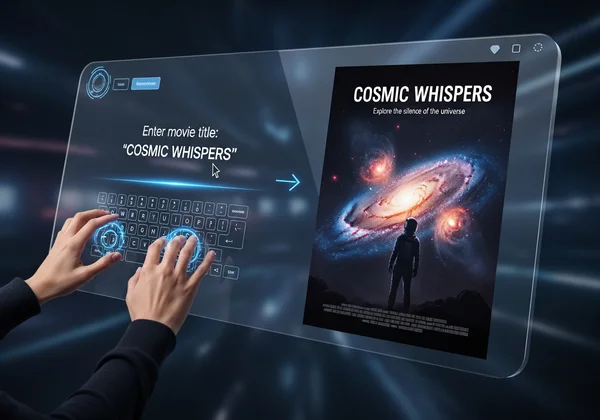
Decoding Cinematic Poster Ideas for AI Generation
Before you start creating, you need a strong concept. A great movie poster tells a story and sets the tone. Grasp genre basics for better prompts. This leads to spot-on results. You're the director briefing your AI design team.
Genre-Specific Inspiration: Thriller, Sci-Fi, Comedy & More
Every genre has its own visual language. Feeding these specific details into an AI poster generator helps it understand the mood you want to create.
- Thrillers & Horror: These posters often use darkness and high contrast to build suspense. Think about silhouettes, mysterious figures, and a limited color palette with a single shocking accent color like red. Key elements might include foggy environments, sharp objects, or fearful expressions.
- Science Fiction (Sci-Fi): Sci-fi visuals are all about the unknown and the futuristic. Use concepts like sprawling galaxies, sleek spaceships, glowing neon grids, and alien landscapes. Styles like "Cyberpunk" or "Techno Futuristic" are perfect for capturing this feel.
- Comedy: Comedy posters are bright, energetic, and expressive. They often feature the main characters with exaggerated facial expressions, vibrant colors, and playful typography. The goal is to signal fun and laughter.
- Drama & Romance: These genres focus on emotion. Close-up shots of characters, soft lighting, and symbolic imagery work well. A vintage or artistic style can add a layer of nostalgia or emotional depth.
- Action & Adventure: Think dynamic poses, explosions, and a sense of motion. Epic landscapes and a central hero ready for battle are classic tropes. The poster should feel exciting and full of energy.
Key Visual & Text Elements of a Compelling Movie Poster
Beyond genre, every effective movie poster balances a few core components. When writing your prompt, consider these elements:
- The Central Image: This is the hero of your poster. Is it a character's face, a symbolic object, or a dramatic scene? Be specific. Instead of "a man," try "a grizzled detective in a trench coat standing under a flickering streetlamp."
- Color Palette: Colors create mood. Blue can feel calm or sad, yellow can be happy or unsettling, and red signals passion or danger. Mentioning a color scheme (e.g., "a muted color palette of blues and grays") will guide the AI.
- Typography (Text Style): While most AI tools focus on the image, thinking about the text helps your overall design. A horror film might use a jagged, messy font, while a historical drama might use elegant serif typography.
- Tagline and Title: A short, catchy tagline can make your poster memorable. The title is crucial. Think about where this text will go after the image is generated. A design with negative space (empty areas) is often easier to work with.
Your Step-by-Step AI Movie Poster Design Process
Now that you have some ideas, let's move on to the fun part: creation. Using an AI poster generator simplifies the entire process into a few easy steps. It’s designed for everyone, from complete beginners to marketing professionals who need results fast.
Crafting Effective Prompts for AI Movie Posters
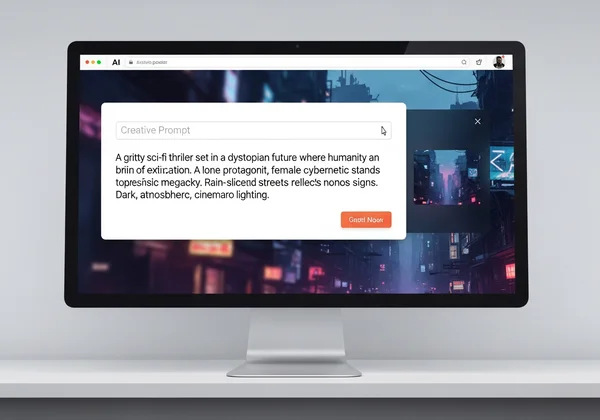
The "prompt" is the text description you give the AI. The quality of your prompt directly impacts the quality of your poster. A vague prompt will give you a generic result, while a detailed prompt will create something unique and specific.
Here’s a simple formula for a great prompt:
[Subject] + [Action/Setting] + [Art Style] + [Mood/Lighting]
Let's see it in action:
- Simple Prompt:
A movie poster for a sci-fi film - Effective Prompt:
A lone astronaut in a reflective helmet gazes at a swirling blue nebula. Planet Earth is a small marble in the distance. Cinematic, epic lighting, minimalist style.
The second prompt gives the AI much more to work with, defining the subject, setting, style, and mood. Don't be afraid to experiment. You can always refine your prompt and generate new options until you find the perfect one. You can start creating now and see how small changes in your prompt can produce wildly different results.
Navigating Style & Dimension Choices for Cinematic Impact
Once your prompt is ready, our tool allows you to refine your vision further. This is where you can easily match the poster's aesthetic to your chosen genre.
- Choose a Style: The platform offers a range of pre-set styles. Want a poster for a futuristic thriller? Select the "Cyberpunk" style. Making something for a historical romance? The "Vintage" or "Artistic" styles might be perfect. These styles automatically apply complex visual treatments, saving you hours of work.
- Select Dimensions: Where will this poster be seen? A vertical poster for a theater lobby is different from a square image for an Instagram post. Choose from standard print sizes (like A4) or social media dimensions to ensure your final design is perfectly formatted for its intended use.
Refining Your AI-Generated Masterpiece: Beyond the First Draft
The AI will generate a visual based on your instructions in seconds. Sometimes it’s perfect on the first try, but often, the best results come from iteration. Treat the first generation as a creative starting point.
See something you like but isn’t quite right? Tweak your prompt. Maybe change "a lone astronaut" to "a female astronaut" or "cinematic lighting" to "dramatic red lighting." Each generation is a new opportunity to get closer to the image in your head. Once you have a visual you love, you can download the high-resolution file.
Maximizing Your AI Movie Poster Generator Results
You’ve learned the basics. Now, let’s explore a few advanced techniques to make your AI-generated movie posters truly stand out and look professionally made.
Advanced Prompt Engineering for Unique Visuals
To gain even more control over the AI, you can add more specific artistic and technical details to your prompts. This is known as prompt engineering.
- Specify Camera Angles: Use terms like "low-angle shot," "wide shot," or "extreme close-up" to control the composition and perspective. A low-angle shot can make a character look powerful, while a close-up can create intimacy.
- Describe Lighting: Lighting is everything in cinema. Try adding phrases like "dramatic chiaroscuro lighting," "soft morning light," or "harsh neon glow" to create a specific atmosphere.
- Reference Artistic Influences: If you want a specific aesthetic, you can mention an artist or art movement. For example, adding "in the style of Saul Bass" could produce a poster with bold, graphic shapes perfect for a retro thriller.
Integrating Text, Logos, and Branding for a Professional Finish
The AI excels at creating stunning background visuals, but a movie poster isn't complete without text. Once you’ve downloaded your AI-generated image from the AI poster generator, the final step is to add your title, tagline, credits, and any logos.
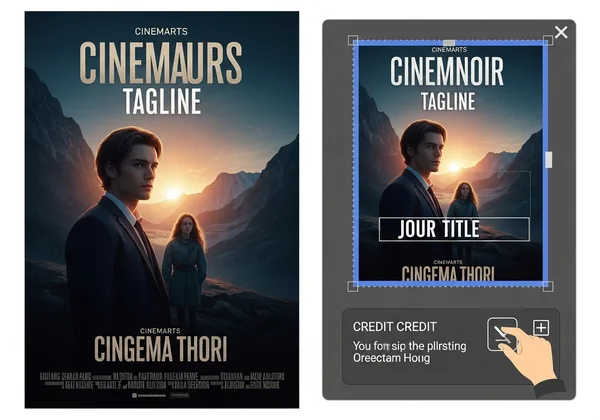
You can use any basic image editing software for this—many free options are available online. Place your title in a clear, readable spot. Add the tagline to create intrigue. Finally, the credit block at the bottom (listing actors, directors, etc.) gives your poster that authentic, professional look. The AI does the heavy lifting by creating a unique visual foundation. You just need to add the finishing touches. Take your concepts and turn them into reality with our AI poster generator.
Your Blockbuster Poster Awaits
Creating a movie poster that captures the spirit of a film is no longer a task reserved for professional designers. With AI, the power to create is in your hands. You can brainstorm ideas, generate stunning visuals, and produce professional-quality promotional materials in a fraction of the time.
By understanding genre conventions and learning to write effective prompts, you can direct the AI to produce artwork that is truly cinematic. The process is fast, intuitive, and unlocks a new level of creative freedom.
Ready to direct your own visual masterpiece? Your next great movie poster is just a few words away. Design your poster today and bring your cinematic vision to life!
Frequently Asked Questions About AI Movie Poster Design
How can I design a professional movie poster with AI if I have no design experience?
AI poster design tools are made for you. You don't need any technical skills. Your main job is to provide a clear creative vision through a text prompt. The AI handles all the complex design work, like composition, color theory, and rendering. Just focus on describing your idea as clearly as possible.
Is this the best AI tool for generating cinematic movie posters from text?
This AI poster generator is an excellent choice because it's built for this exact purpose. It has a user-friendly interface. You can try curated styles like Cyberpunk or Vintage. The high-quality output is perfect for cinematic posters, simplifying the process from text to a professional result.
Can AI truly capture the specific mood and genre of my film in a poster?
Yes, absolutely. The key is in your prompt. Add mood words like "suspenseful" or "epic." Include genres like "horror" or "sci-fi." This guides the AI to generate an image that matches your film's vibe. The more specific your language, the more accurate the result will be.
How do I ensure my AI-generated movie poster looks unique and not generic?
To avoid generic results, use highly detailed and specific prompts. Instead of "a poster for a comedy movie," try "A goofy golden retriever wearing oversized sunglasses and a Hawaiian shirt drives a red convertible. Bright, sunny day, playful and chaotic energy." The more unique details you provide, the more original your final poster will be. Experimenting with our AI poster generator is the best way to discover unique combinations.