
AI Poster Design: Engineering Perfect Text-to-Image Results
Tired of AI-generated posters that look generic or miss your vision? The secret to stunning, customized designs isn't just using an AI poster generator—it's mastering the art of prompt engineering. In this guide, you'll discover actionable frameworks to transform basic text descriptions into professional-grade posters tailored to your exact needs, whether you're a marketer, business owner, or student. How do you write prompts that actually work with AI design tools? Let’s break it down.
Understanding How AI Posters Work (The Foundation)
The AI Brain Behind Your Poster
Modern AI poster generators like PosterDesign.net don't just slap elements together—they analyze your text prompts using advanced neural networks trained on millions of design examples. When you input "vintage music festival poster with guitar silhouette," the AI:
- Identifies key components (vintage style, music theme, guitar graphics)
- References design principles (balanced layouts, era-specific typography)
- Generates original artwork matching your description
Why does this matter for prompt writing? The more accurately you communicate your needs, the better the AI can execute your vision.
Why Your First Prompt Might Not Work
Common frustrations include:
- Vague descriptions ("make it look cool") → Results lack focus
- Overloaded requests → AI prioritizes some elements over others
- Missing context → Style misinterpretations (e.g., "modern" meaning minimalist vs. futuristic)
Fix this: Approach prompts like briefing a designer—clear, specific, but not restrictive.

The 7 Elements of a Perfect Poster Prompt
In my experience, the most effective AI poster prompts balance specificity with creative freedom. Use this framework to craft prompts that consistently deliver exceptional results:
1. Subject & Theme: The What
Clearly define your poster's purpose and content:
- Weak: "Conference poster"
- Strong: "Academic conference poster for climate science summit with iceberg imagery and data visualization placeholders"
Pro Tip: For events, include dates/venues. For products, mention key features.
2. Style & Mood: The Feeling
Leverage PosterDesign.net's style presets or describe atmospheres:
"Vintage travel poster style with muted earth tones, nostalgic typography, and adventurous mood"
Need inspiration? Explore PosterDesign.net's style library with 15+ curated aesthetics.
3. Composition & Layout: The Structure
Guide the AI’s spatial planning:
- "Z-pattern layout with headline top-left, central product image, bullet points bottom-right"
- "Minimalist grid design with 30% text, 70% negative space"
4. Color Palette: The Visual Impact
Specify hues for brand consistency or emotional resonance:
- "Primary brand colors: #2A5C8B (deep blue) and #E04E39 (coral) with neutral white backgrounds"
- "Complementary orange-purple scheme evoking creativity and energy"
5. Text Elements: The Message
Control typography and content placement:
- "Bold headline: 'Summer Music Fest 2024' in sans-serif font; subhead: 'August 15-18 • Central Park' in smaller italic"
- "No Lorem Ipsum – leave space for 150-word speaker bio"
6. Details & Specificity: The Precision
Add granular instructions to reduce revisions:
"60/30/10 color rule: 60% forest green, 30% cream, 10% gold accents"
"Graphics: Pine tree silhouette behind headline, subtle topographic map texture overlay"
7. Negative Prompts: What to Exclude
Eliminate unwanted elements upfront:
- "No clipart, photorealistic portraits, or web-inspired graphics"
- "Avoid neon colors and overly futuristic fonts"
Test negative prompting on PosterDesign.net’s advanced settings for cleaner results.

Industry-Specific Prompt Templates
Marketing & Business Prompts
For Persona "Sarah" (Marketer):
Style: Modern minimalist
Content: "Product launch poster for NovaTech WiFi Router. Dominant image: sleek router on geometric background. Key message: 'Lightning Speed • Whole-Home Coverage'. Include QR code placeholder top-right. Brand colors: black, electric blue, white."
Result: Professional tech aesthetic that aligns with Sarah’s brand guidelines.
Academic & Scientific Prompts
For Persona "Maria" (Student/Educator):
Style: Nature Fresh
Content: "Research poster on coral reef conservation. Layout: 3-column grid with sections for Abstract, Methods, Results. Feature underwater coral imagery faded into background. Use accessible sans-serif fonts with 24+ pt readability."
Result: Maria presents her science project with visually compelling, educator-approved clarity.
Event & Social Prompts
For Persona "David" (Café Owner):
Style: Artistic retro
Content: "Limited-time offer: 'Buy 1 Coffee, Get Pastry 50% Off.' Visual: Steaming cappuccino beside croissant with parchment texture background. Text hierarchy: Offer largest, dates second (Jan 15-30), cafe logo smallest."
Result: David prints café posters that drive foot traffic without designer fees.
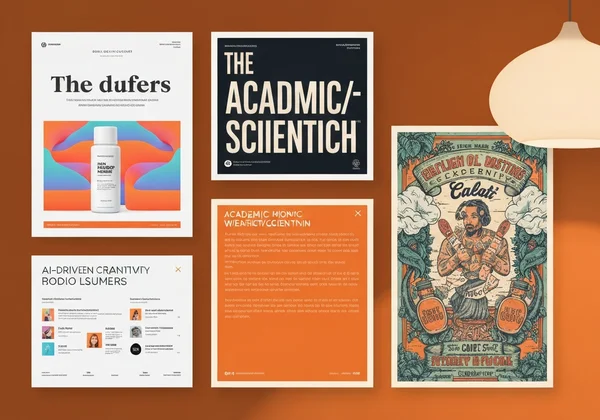
Troubleshooting: When Your Poster Doesn't Match Your Vision
Common Pitfalls and How to Fix Them
Problem: AI ignores key elements.
Fix: Use priority markers:
"[[MUST INCLUDE]] Vintage microphone graphic centered below headline"
Problem: Colors clash.
Fix: Specify color relationships:
"Analogous blue scheme (navy, teal, seafoam) with monochrome grayscale photos"
Need a reset? Generate fresh ideas fast with PosterDesign.net’s template library.
Iterating and Refining Your Prompts
- Version your prompts: Save variations like "MusicFest-v1-minimalist" vs "MusicFest-v2-retro"
- Analyze outputs: Note which phrases yield the best results (e.g., "matte finish" vs "glossy effect")
- Combine techniques: Pair style keywords ("Swiss typography") with layout commands ("asymmetrical balance")
Your Journey to Poster Perfection Starts Now
You now possess the prompt engineering toolkit to:
- ✅ Command any AI poster generator with precision
- ✅ Avoid endless revisions with strategic specificity
- ✅ Produce posters that impress colleagues, customers, or professors
The easiest way to apply these techniques? Try PosterDesign.net’s AI generator where you can:
- Experiment with 18+ professional styles
- Preview changes in real-time
- Download print-ready files in one click
Don't settle for generic designs – your next prompt could create the standout poster that captures attention, communicates your message, and elevates your brand.
Answering Your AI Poster Prompt Questions
What's the ideal length for an AI poster prompt?
For effective AI poster design, aim for 50-150 words—enough to cover key elements without overwhelming the AI. Example:
"Retro travel poster style. Subject: Paris cityscape with Eiffel Tower at sunrise. Colors: Sepia tones with red accents. Text: 'Discover Spring in Paris' in vintage script above skyline. Mood: Nostalgic adventure."
Can I use brand colors in my poster prompts?
Absolutely! Provide HEX codes or descriptive names:
"Primary: Pantone 19-4052 Classic Blue. Secondary: Bright Lemon (#FFEA00)".
PosterDesign.net’s color picker ensures perfect brand alignment.
How do I maintain consistency across multiple posters?
Create a style guide prompt snippet for reuse:
"[[STYLE RULES]] Font: Helvetica Neue. Colors: #2C3E50, #E74C3C, whitespace. Graphics: Flat icons only."
What's the difference between positive and negative prompts?
- Positive: What you want ("Bold sans-serif headlines")
- Negative: What to exclude ("No cursive fonts, no stock photos")
Master both on PosterDesign.net's advanced generator.
Can I reference specific artists in prompts?
Yes! Phrases like "in Saul Bass’ style" or "reminiscent of 1960s tourism posters" direct the AI effectively.